A productive workspace isn’t just about aesthetics; it’s a cornerstone of efficiency and well-being. This guide delves into practical strategies to transform your office from a cluttered chaos into a streamlined haven of productivity. We’ll explore decluttering techniques, ergonomic improvements, and workflow optimizations, empowering you to create a space that fosters focus and enhances your overall work experience.
From conquering desk clutter to mastering efficient email management, we’ll equip you with the tools and insights needed to create a workspace that truly works for you. We’ll examine the psychological impact of a well-organized environment and demonstrate how small changes can yield significant results in your daily productivity and overall job satisfaction.
Decluttering Your Workspace

A clutter-free workspace is more than just aesthetically pleasing; it’s crucial for boosting productivity and enhancing overall well-being. A systematic approach to decluttering can transform your office environment from a chaotic mess into a haven of efficiency. This section Artikels a step-by-step plan and explores various organizational methods to help you achieve this transformation.
A Step-by-Step Decluttering Plan
Effective decluttering requires a structured approach. Begin by dividing your office into manageable sections – your desk, filing system, and shelves – and tackle each area methodically. This phased approach prevents feeling overwhelmed and allows for a more thorough cleaning process.
- Desk Decluttering: Start by clearing everything from your desk. Sort items into three piles: keep, donate/discard, and relocate (items that belong elsewhere). Once this is done, only return essential items to your desk, ensuring everything has a designated place. Consider using drawer organizers to maximize space and maintain order.
- Filing System Overhaul: Review your current filing system. Are you using a physical system or a digital one? Regardless, ensure your system is efficient and easily navigable. Purge outdated documents and digitize where possible. Implement a clear labeling system for easy retrieval of information. Consider color-coded folders or a digital tagging system for improved organization.
- Shelf Organization: Empty your shelves completely. Wipe them down and then return items strategically. Group similar items together (e.g., books, stationery, supplies). Use shelf dividers or containers to maximize space and create visual order. Consider vertical storage solutions for items like files or magazines to save horizontal space.
Comparison of Office Supply Organization Methods
Choosing the right organizational method depends on your specific needs and preferences. The following table compares different approaches:
| Method | Pros | Cons | Best Use Case |
|---|---|---|---|
| Drawer Dividers | Keeps items separated and easily accessible; maximizes drawer space; inexpensive. | Can be inflexible if needs change; might not be suitable for all drawer sizes; requires measuring and fitting. | Small items like pens, paperclips, and sticky notes within drawers. |
| Vertical Storage | Space-saving; keeps items visible and easily accessible; great for files and documents. | May require specialized containers or shelves; not suitable for all item types; may not be aesthetically pleasing to everyone. | Files, folders, magazines, and other documents. |
| Labeled Bins | Versatile; can be used for various items; promotes clear organization; easy to move and rearrange. | Requires purchasing bins; can take up significant space if not used efficiently; labels might need replacing over time. | Larger items, supplies, craft materials, or project-specific items. |
| Desk Organizers | Combines multiple organizational methods (drawers, trays, slots); provides dedicated space for specific items. | Can be bulky; might not fit all desks; can be expensive depending on features and materials. | A comprehensive solution for all desk items; particularly useful for those with limited desk space. |
Psychological Benefits of a Clutter-Free Workspace
A clutter-free workspace significantly impacts both productivity and well-being. Studies have shown a correlation between a tidy environment and reduced stress levels. A clear workspace allows for better focus and concentration, leading to improved task completion and reduced procrastination. The sense of order and control fostered by a clean office can positively influence mood and overall job satisfaction. For example, a study published in the journal *Psychological Science* found that participants in a tidy office reported feeling more in control and had higher levels of self-efficacy. A clean workspace contributes to a more positive and productive work environment, ultimately benefiting both mental and physical health.
Optimizing Space and Ergonomics
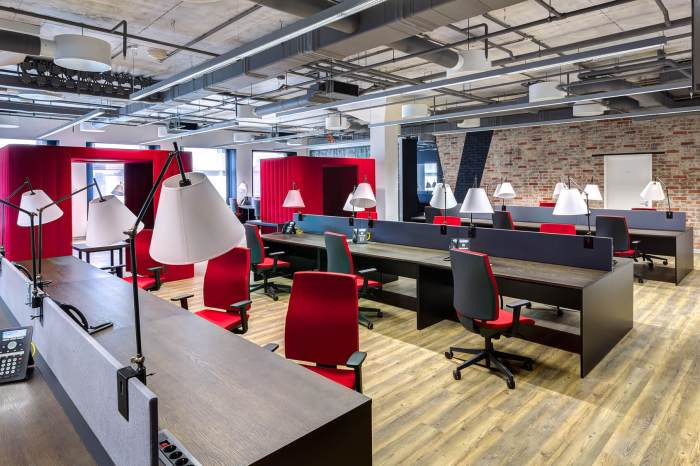
A well-organized and ergonomically sound workspace significantly boosts productivity and well-being. Optimizing both space and ergonomics involves thoughtful consideration of furniture placement, technology integration, and postural support to create an efficient and comfortable environment. This section details strategies for achieving this balance.
Efficient desk space management is crucial for minimizing clutter and maximizing workflow. Proper furniture arrangement and technology placement contribute to a more organized and productive workspace. Ergonomics, focusing on the interaction between the worker and their environment, plays a critical role in preventing discomfort and injuries.
Desk Space Optimization for Maximum Efficiency
Effective desk space optimization involves strategically arranging furniture and technology to support your work style. A well-planned layout prevents unnecessary reaching, promotes good posture, and minimizes distractions. Consider the following:
Start by decluttering your desk completely. Then, place frequently used items within easy reach, keeping less frequently used items further away or in storage. This minimizes wasted time searching for tools and materials. Position your monitor directly in front of you at arm’s length, ensuring the top of the screen is at or slightly below eye level to prevent neck strain. Your keyboard and mouse should be positioned to allow for relaxed posture, avoiding hunching or reaching. Use vertical space with shelves or drawers to maximize storage and keep surfaces clear.
Ergonomic Setups for Different Work Styles
Ergonomic setups vary based on individual work styles and preferences. The following examples illustrate effective arrangements for sitting, standing, and using multiple monitors.
Sitting Setup: Imagine a desk with a comfortable ergonomic chair with adjustable height and lumbar support. The monitor is positioned directly in front, slightly below eye level, and at arm’s length. The keyboard and mouse are close enough to avoid reaching, and the wrists are straight. A footrest is used if the feet don’t comfortably rest on the floor. A document holder keeps papers at eye level, reducing neck strain. The overall setup promotes a neutral posture, minimizing strain on the back, neck, and wrists.
Standing Setup: Picture a height-adjustable standing desk allowing for seamless transitions between sitting and standing. A monitor arm allows for optimal screen positioning, while an anti-fatigue mat provides comfortable support for the feet. A keyboard tray keeps the keyboard at a comfortable height, and a vertical mouse can reduce wrist strain. The overall setup allows for increased energy levels and reduced sedentary behavior. Consider a monitor riser to improve screen height.
Multiple Monitor Setup: Envision a large desk accommodating two or three monitors arranged in a curved or slightly angled configuration. This setup minimizes neck movement between screens. Monitor arms are used to adjust each screen’s height and angle for optimal viewing. The keyboard and mouse are centrally located, within easy reach of all monitors. A well-organized cable management system keeps the workspace neat and tidy. This configuration is ideal for tasks requiring simultaneous monitoring of multiple applications or data streams.
Ergonomic Workspace Evaluation Checklist
Regularly assessing your workspace’s ergonomics is essential for maintaining comfort and preventing potential health issues. The following checklist facilitates this process:
This checklist helps identify areas needing improvement. Regular use will help maintain a healthy and productive work environment. Address any issues promptly to avoid long-term problems.
| Aspect | Evaluation | Improvement Suggestions |
|---|---|---|
| Chair Height and Support | [Check if chair height allows for feet flat on floor, and if lumbar support is adequate] | Adjust chair height; add lumbar support pillow if needed |
| Monitor Position | [Check if monitor is at eye level and arm’s length] | Adjust monitor height and distance; use a monitor stand if necessary |
| Keyboard and Mouse Position | [Check if wrists are straight and keyboard is at a comfortable height] | Adjust keyboard and mouse height and position; use an ergonomic keyboard and mouse |
| Lighting | [Check if lighting is adequate and glare-free] | Adjust lighting; use a glare filter on the monitor |
| Workspace Organization | [Check for clutter and ease of access to frequently used items] | Declutter; organize items strategically |
Implementing Efficient Workflows
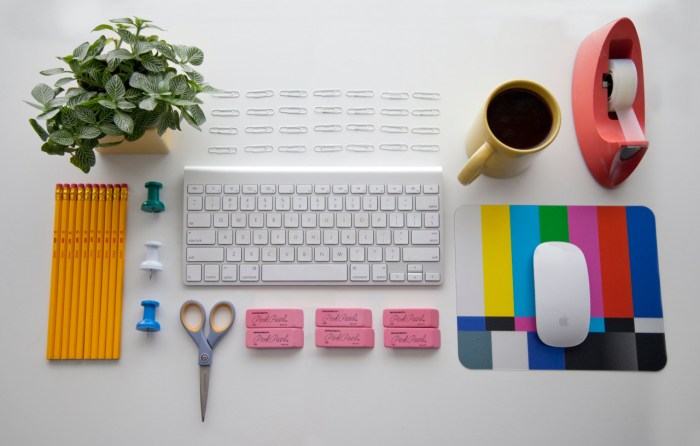
Streamlining your workflow is crucial for maximizing productivity and minimizing stress in the office environment. By implementing effective time management techniques and leveraging technology, you can significantly improve your ability to prioritize tasks and complete projects efficiently. This section explores practical strategies for optimizing your daily work routines and harnessing technology to enhance your overall workflow.
Effective time management is the cornerstone of efficient workflows. Various techniques can be integrated into daily routines to improve productivity and reduce wasted time. These techniques help you gain control over your schedule and allocate your time more effectively, leading to improved output and reduced stress.
Time Management Techniques for Office Environments
Effective time management hinges on understanding your personal work style and preferences. Experimenting with different techniques will reveal what works best for you. The following are some proven methods:
- Time Blocking: Allocate specific time slots for particular tasks in your calendar. This method promotes focused work and prevents task-switching, enhancing concentration and efficiency.
- Pomodoro Technique: Work in focused bursts (e.g., 25 minutes) followed by short breaks (e.g., 5 minutes). This technique helps maintain concentration and prevents burnout. Regular short breaks can actually improve overall productivity.
- Eisenhower Matrix (Urgent/Important): Categorize tasks based on urgency and importance. Prioritize important tasks, delegate less important ones, and eliminate unnecessary tasks. This matrix helps you focus on what truly matters.
- Eat the Frog: Tackle the most challenging or unpleasant task first thing in the morning. This builds momentum and frees up mental energy for easier tasks later in the day. Starting with a difficult task often leads to a feeling of accomplishment and sets a positive tone for the rest of the workday.
Utilizing Technology for Workflow Streamlining
Technology plays a vital role in streamlining workflows and improving task prioritization. Various tools can help you organize, manage, and track your work more effectively. Choosing the right tools will depend on individual needs and the nature of your work.
- Project Management Software (e.g., Asana, Trello, Monday.com): These platforms allow for task assignment, progress tracking, collaboration, and deadline management. Visualizing projects and tasks can significantly improve organization and accountability.
- Calendar Applications (e.g., Google Calendar, Outlook Calendar): Scheduling appointments, setting reminders, and integrating tasks into your calendar creates a centralized system for managing your time. Color-coding events can improve visual clarity and aid in prioritization.
- Note-Taking Apps (e.g., Evernote, OneNote): Centralized note-taking helps consolidate information, reducing the time spent searching for documents or emails. These apps often provide features for tagging, searching, and organizing notes effectively.
Email and Notification Management Strategies
Effective email and notification management is essential for minimizing distractions and maintaining focus. Uncontrolled notifications can significantly disrupt concentration and reduce productivity. Implementing strategies to manage these interruptions is key to efficient work.
- Scheduled Email Checks: Instead of constantly checking emails, designate specific times throughout the day to review and respond to messages. This prevents constant interruptions and allows for focused work periods.
- Unsubscribe from Unnecessary Mailing Lists: Reduce the volume of incoming emails by unsubscribing from irrelevant newsletters or promotional emails. This minimizes clutter and helps you focus on important communications.
- Utilize Filters and Folders: Organize emails using filters and folders to categorize messages based on priority or sender. This helps prioritize important emails and quickly locate specific information.
- Notification Management: Customize notification settings on your devices and applications to minimize interruptions. Disable unnecessary notifications or set them to “Do Not Disturb” during focused work periods.
Last Word
By implementing these strategies, you’ll not only declutter your physical space but also streamline your mental processes. A well-organized workspace translates to reduced stress, increased focus, and ultimately, a more fulfilling and productive work life. Remember, the journey to an optimized workspace is an ongoing process; embrace the small wins, adapt the techniques to your unique needs, and enjoy the positive impact on your overall well-being.