Feeling overwhelmed by your to-do list? Efficient task management isn’t about superhuman productivity; it’s about strategic planning and the right techniques. This guide provides a four-step framework to help you conquer your tasks, leaving you feeling more organized and in control of your time. We’ll explore proven methods for prioritizing, scheduling, and utilizing tools to streamline your workflow and boost your overall efficiency.
From understanding the Eisenhower Matrix to mastering the Pomodoro Technique, we’ll equip you with practical strategies and actionable tips. We’ll also delve into the advantages and disadvantages of various task management approaches, helping you choose the best fit for your personal style and workload. By the end, you’ll have a clear roadmap for optimizing your task management and achieving a better work-life balance.
Defining and Prioritizing Tasks
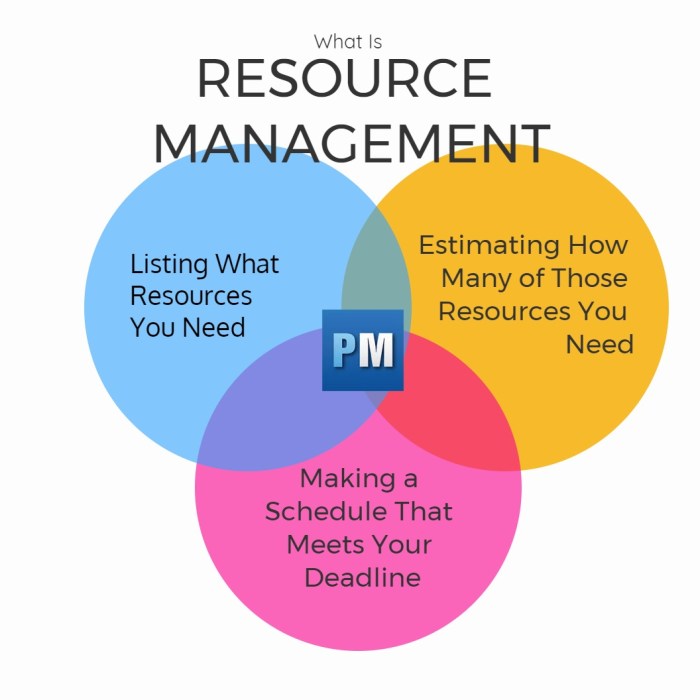
Effective task management hinges on clearly defining and prioritizing your workload. Understanding which tasks demand immediate attention and which can be delegated or scheduled is crucial for productivity and stress reduction. This section will explore methods for achieving this.
One highly effective tool for prioritizing tasks is the Eisenhower Matrix, also known as the Urgent-Important Matrix. This matrix categorizes tasks based on their urgency and importance, allowing for strategic allocation of time and effort.
The Eisenhower Matrix
The Eisenhower Matrix uses a simple 2×2 grid to categorize tasks:
- Urgent and Important: These tasks require immediate attention and should be tackled first. Examples include impending deadlines, critical client requests, or resolving urgent technical issues.
- Important but Not Urgent: These tasks are crucial for long-term goals but don’t have immediate deadlines. Examples include strategic planning, professional development, or building strong client relationships. These tasks should be scheduled proactively.
- Urgent but Not Important: These tasks demand immediate action but don’t significantly contribute to your long-term goals. Examples include attending unnecessary meetings, responding to non-critical emails, or handling minor interruptions. These should be delegated if possible or handled quickly and efficiently.
- Neither Urgent nor Important: These tasks are often time-wasters and should be eliminated. Examples include excessive social media browsing, unnecessary paperwork, or unproductive meetings.
Breaking Down Large Tasks
Large, complex tasks can often feel overwhelming, leading to procrastination. Breaking them down into smaller, more manageable sub-tasks is key to making progress and maintaining momentum.
- Define the overall goal: Clearly articulate the desired outcome of the large task. What needs to be accomplished?
- Identify key milestones: Break the task into logical phases or steps that represent significant progress towards the goal.
- Create sub-tasks: For each milestone, define smaller, actionable sub-tasks. Each sub-task should be specific, measurable, achievable, relevant, and time-bound (SMART).
- Estimate time and resources: Assign a realistic timeframe and identify any necessary resources for each sub-task.
- Prioritize sub-tasks: Use the Eisenhower Matrix or another prioritization method to sequence the sub-tasks effectively.
Task Prioritization Methods Comparison
Different prioritization methods offer unique approaches. The following table compares the MoSCoW method and the Pareto Principle:
| Method | Description | Strengths | Weaknesses |
|---|---|---|---|
| MoSCoW | Categorizes requirements into Must have, Should have, Could have, and Won’t have. | Clear prioritization, useful for projects with many requirements. | Can be subjective, requires clear definition of categories. |
| Pareto Principle (80/20 Rule) | Focuses on the 20% of efforts that yield 80% of results. | Identifies high-impact tasks, improves efficiency. | Can be difficult to accurately identify the vital 20%, may overlook important but less impactful tasks. |
Effective Time Management Techniques
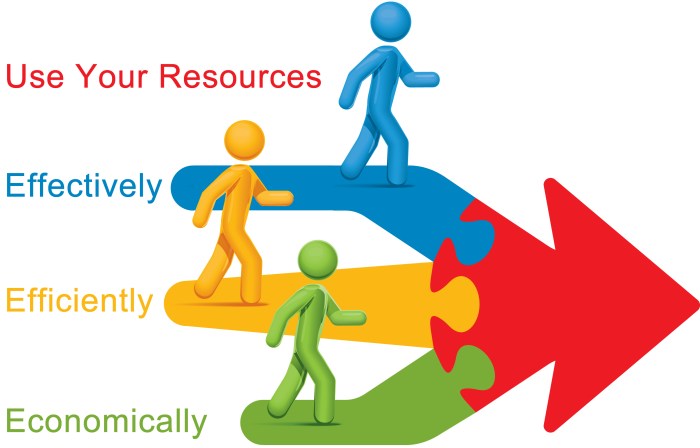
Effective time management is crucial for optimizing task completion. By implementing proven techniques, you can significantly improve your productivity and reduce stress. This section explores several strategies to help you better manage your time and focus your efforts.
The Pomodoro Technique
The Pomodoro Technique is a time management method that breaks down work into intervals, typically 25 minutes long, separated by short breaks. These intervals are called “pomodoros.” After four pomodoros, a longer break is taken. This structured approach helps maintain focus and prevent burnout. Implementing the Pomodoro Technique involves setting a timer for 25 minutes, working on a single task without distractions, taking a 5-minute break after the timer goes off, and repeating this cycle. After completing four pomodoros, a longer break of 15-20 minutes is recommended. Practical tips include using a dedicated timer app, minimizing distractions during work intervals, and ensuring your breaks are truly restful and away from your workspace. Consistent application is key to realizing the benefits of this technique.
Time Blocking
Time blocking involves scheduling specific tasks or activities into your calendar, allocating a set amount of time for each. This proactive approach helps prioritize tasks and provides a visual representation of your day or week. Benefits include improved organization, increased focus, and reduced multitasking. However, drawbacks can include inflexibility if unexpected events arise and the potential for over-scheduling, leading to stress. An effective time blocking schedule might look like this: Monday: 9:00 AM – 10:30 AM – Project A; 10:30 AM – 11:00 AM – Email/Communication; 11:00 AM – 1:00 PM – Meeting; 1:00 PM – 2:30 PM – Project B; 2:30 PM – 3:00 PM – Administrative tasks. This example shows a clear allocation of time to different tasks, promoting a structured workflow. Flexibility should be built in to allow for adjustments as needed.
Common Time-Wasting Activities and Minimization Strategies
Understanding common time-wasting activities is essential for effective time management. Addressing these can significantly improve productivity.
- Social Media and Unnecessary Web Browsing: Set specific times for checking social media and avoid aimless browsing during work hours. Utilize website blockers or browser extensions to limit access to distracting sites.
- Unnecessary Meetings and Emails: Schedule meetings only when necessary, and clearly define the purpose and agenda beforehand. Process emails in batches at scheduled times rather than reacting to each one individually.
- Procrastination and Multitasking: Break down large tasks into smaller, manageable steps to make them less daunting. Focus on one task at a time to avoid spreading your attention too thinly.
- Poor Organization and Planning: Utilize to-do lists, planners, or project management software to stay organized and prioritize tasks. Plan your day or week in advance to allocate sufficient time for each activity.
- Perfectionism: Aim for progress, not perfection. Set realistic goals and avoid getting bogged down in minor details.
Utilizing Tools and Resources for Task Management
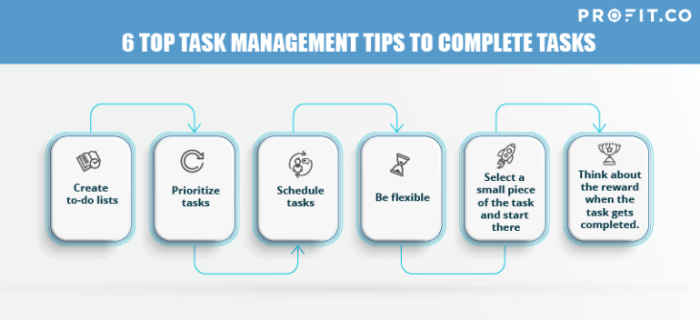
Effective task management relies heavily on leveraging the right tools and resources. Choosing the appropriate tools can significantly improve organization, efficiency, and overall productivity. This section will explore various task management applications, digital calendars, and visual project planning tools to help you optimize your workflow.
Task Management Applications: A Comparison
Several applications cater to different task management styles and user needs. Understanding their key features helps in selecting the best fit for individual preferences and project complexities. The following table compares three popular options: Todoist, Trello, and Asana.
| Feature | Todoist | Trello | Asana |
|---|---|---|---|
| Best For | Individuals and small teams needing a simple, intuitive system | Visual project management, collaborative teamwork, Kanban workflow | Larger teams, complex projects, robust project tracking and reporting |
| Key Features | Natural language input, recurring tasks, prioritization, labels, subtasks | Kanban boards, lists, cards, attachments, due dates, checklists | Task assignments, timelines, progress tracking, custom fields, integrations |
| Pricing | Free plan available, paid plans offer additional features | Free plan available, paid plans offer additional features and storage | Free plan available, paid plans offer advanced features and team management |
| User Interface | Clean and minimalist, easy to navigate | Visual and highly customizable, uses a drag-and-drop interface | More complex interface, offering greater functionality |
Digital Calendars and Scheduling Tools
Integrating a digital calendar with your task management system creates a powerful synergy. Digital calendars provide a visual overview of your schedule, allowing for effective time blocking and appointment management. Features like reminders, notifications, and integration with other apps further enhance productivity. For example, scheduling specific times for focused work on particular tasks, coupled with calendar reminders, minimizes distractions and promotes timely completion.
Creating a Gantt Chart for Project Visualization
A Gantt chart is a visual representation of a project’s schedule, depicting tasks and their durations over time. Imagine a horizontal bar chart where the horizontal axis represents time (often broken down into days, weeks, or months) and the vertical axis lists the individual tasks involved in the project. Each task is represented by a horizontal bar, whose length corresponds to the task’s duration. Dependencies between tasks can be shown through arrows or connections, illustrating the sequential order of completion. For instance, a large project might have “Design Phase” represented by a long bar followed by a shorter “Development Phase” bar connected by an arrow, visually demonstrating that development cannot begin until design is complete. Milestones, or significant checkpoints in the project, can also be highlighted on the chart. This visual representation aids in identifying potential bottlenecks, delays, and resource allocation issues.
Summary
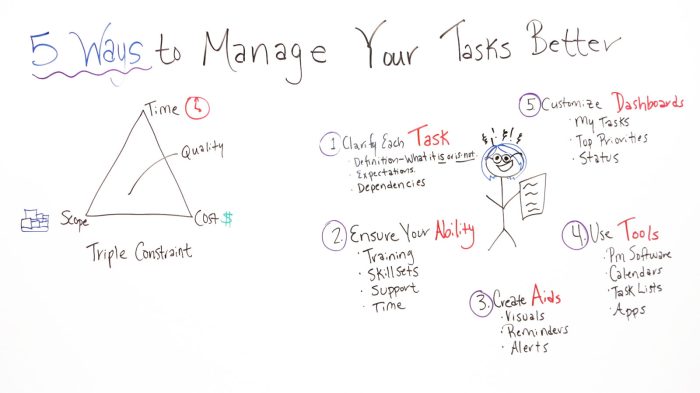
Mastering efficient task management is a journey, not a destination. By consistently applying the principles of prioritization, effective time management, and leveraging the right tools, you’ll transform your approach to work and projects. Remember, the key is finding a system that works best for you – one that allows for flexibility and adaptation as your needs evolve. Embrace the process, celebrate your successes, and continuously refine your methods for optimal productivity and reduced stress.