Embracing the digital nomad lifestyle offers unparalleled freedom, but maintaining productivity requires a well-optimized workspace. This guide provides six essential tips to transform any location into a productive and comfortable hub, whether you’re working from a bustling cafe or a serene beachside bungalow. We’ll explore ergonomic setups, reliable technology, and effective time management strategies to help you thrive while working remotely.
From selecting the right ergonomic accessories to mastering reliable internet connectivity, we’ll cover all aspects of creating a functional and inspiring workspace tailored to your unique needs as a digital nomad. We’ll also discuss how to balance work and leisure, ensuring a sustainable and fulfilling remote work experience.
Ergonomics and Physical Setup for Optimal Productivity

Creating a comfortable and efficient workspace is paramount for digital nomads, who often work in various locations with varying setups. A well-designed ergonomic workspace minimizes physical strain, boosts productivity, and contributes to overall well-being, even when working remotely. Ignoring ergonomics can lead to discomfort, injuries, and decreased efficiency. Prioritizing a proper setup is an investment in your long-term health and productivity.
An ideal ergonomic setup focuses on maintaining a neutral posture, reducing strain on your body, and ensuring everything is within easy reach. This involves careful consideration of your chair, desk height, monitor placement, and keyboard/mouse positioning. The goal is to prevent slouching, neck pain, wrist strain, and backaches – common ailments among those who spend extended hours working at a computer.
Workspace Setup Comparisons
Choosing the right workspace setup depends on individual preferences, available space, and budget. The following table compares common options, highlighting their advantages and disadvantages:
| Setup Type | Pros | Cons | Cost |
|---|---|---|---|
| Standing Desk (adjustable height) | Improved posture, increased energy levels, reduced back pain. | Can be expensive, may require a transition period to get used to, not suitable for all individuals. | $$$ (depending on features and brand) |
| Laptop on a Table (with external keyboard/mouse) | Affordable, portable, easy to set up. | Can lead to poor posture if not set up correctly, limited screen real estate. | $ |
| Laptop on a Laptop Stand (with external keyboard/mouse) | Improves posture compared to using a laptop directly on a table, portable. | Can still lead to poor posture if not used correctly, adds an extra piece of equipment. | $$ |
| Dedicated Desk with Monitor, Keyboard, and Mouse | Optimal ergonomics, best for long work sessions, maximizes screen real estate. | Least portable, requires more space and investment. | $$$ |
Essential Ergonomic Accessories
Investing in ergonomic accessories can significantly enhance your workspace comfort and prevent strain. These accessories help to support your body in its natural position and reduce the risk of repetitive strain injuries.
Some key accessories include:
- An ergonomic chair with lumbar support: This provides proper back support and promotes good posture.
- An adjustable monitor stand: This allows you to position your screen at eye level, reducing neck strain.
- An ergonomic keyboard and mouse: These are designed to promote a natural hand and wrist position, minimizing strain.
- A footrest: This helps maintain proper leg and hip alignment, especially when using a standing desk or if your chair is too high.
- A document holder: This keeps documents at eye level, preventing you from constantly bending your neck.
Adjusting Your Workspace for Individual Needs
A personalized workspace is crucial for optimal comfort and productivity. The following steps Artikel how to adjust your setup to suit your individual body type and preferences:
- Assess your posture: Sit or stand in your workspace and observe your posture. Are you slouching? Is your neck strained? Are your wrists bent at awkward angles?
- Adjust your chair height: Your feet should be flat on the floor, and your thighs should be parallel to the ground. If necessary, use a footrest.
- Position your monitor: The top of your monitor should be at or slightly below eye level. The screen should be an arm’s length away.
- Adjust your keyboard and mouse: Your wrists should be straight, and your elbows should be bent at a 90-degree angle. Keep your keyboard and mouse close to your body.
- Take regular breaks: Get up and move around every 30-60 minutes to stretch and prevent stiffness.
- Experiment and refine: Your ideal setup may take some experimentation. Continuously assess your comfort level and make adjustments as needed.
Technology and Connectivity for Seamless Workflow
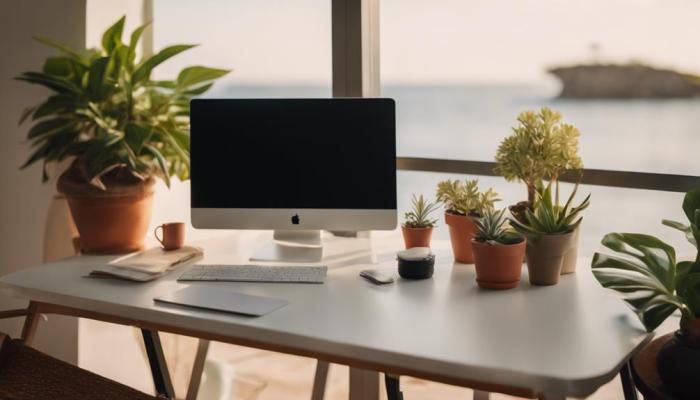
A reliable and efficient digital workspace hinges on the right technology and consistent internet access. Choosing the appropriate tools and securing a stable connection are crucial for maintaining productivity and minimizing disruptions while working remotely. This section details essential technological components and strategies for ensuring seamless workflow as a digital nomad.
Selecting the correct technology and securing a reliable internet connection are fundamental aspects of a successful digital nomad lifestyle. The right tools can significantly enhance productivity, while a consistent internet connection ensures uninterrupted workflow. Below, we explore the essential technological elements and strategies to achieve this.
Essential Tech Gadgets and Software
The selection of tech gadgets and software should prioritize portability, functionality, and reliability. A well-equipped digital nomad needs tools that can handle various tasks efficiently, regardless of location.
- Laptop: A lightweight, powerful laptop with a long battery life is essential. Consider models with robust processors and ample RAM for multitasking.
- Smartphone: A smartphone serves as a secondary device for communication, internet access (via hotspot), and various productivity apps.
- External Hard Drive/Cloud Storage: Regular backups are crucial. An external hard drive provides offline storage, while cloud services offer accessible backups from anywhere.
- Noise-Cancelling Headphones: Essential for focus in noisy environments, crucial for calls and video conferencing.
- Portable Power Bank: Provides backup power for devices when access to electricity is limited.
- Universal Travel Adapter: Ensures compatibility with various power outlets around the world.
In terms of software, prioritize cloud-based applications for accessibility and collaboration. Consider productivity suites like Google Workspace or Microsoft 365, project management tools such as Asana or Trello, and communication platforms like Slack or Zoom.
Reliable Internet Connectivity and Access Strategies
Consistent internet access is paramount for digital nomads. Strategies to ensure reliable connectivity involve a multi-pronged approach, combining various methods and backup solutions.
Prioritize finding locations with strong Wi-Fi signals. Coffee shops, co-working spaces, and hotels often offer reliable internet. However, relying solely on one method is risky. Having backup options is crucial for uninterrupted workflow.
- Local SIM Cards: Purchasing a local SIM card provides mobile data access, often at a lower cost than roaming.
- Portable Wi-Fi Hotspots: These devices create a Wi-Fi network using a mobile data connection, offering flexibility and portability.
- Satellite Internet: A more expensive option, but provides connectivity in remote areas where other options are unavailable. Services like Starlink offer this capability, though speeds can vary based on location and weather conditions.
Comparison of Internet Options for Digital Nomads
The choice of internet access depends on factors like location, budget, and required speed. The following table compares common options:
| Provider | Speed | Cost | Reliability |
|---|---|---|---|
| Local SIM Card (e.g., Telcel in Mexico, AIS in Thailand) | Varies greatly depending on provider and location; generally 4G LTE | Generally affordable, but can vary widely | Can be reliable in populated areas, but coverage can be spotty in remote locations. |
| Portable Wi-Fi Hotspot (e.g., Skyroam, GlocalMe) | Similar to local SIM cards, generally 4G LTE | More expensive than local SIM cards, but often offers more convenient global coverage | Generally reliable, but dependent on cellular network coverage |
| Satellite Internet (e.g., Starlink) | Can range from low to high, depending on the service and location; often slower than cellular options | Most expensive option | Can provide connectivity in remote areas where other options are unavailable, but can be affected by weather conditions. |
Organization and Time Management Techniques for Enhanced Focus

Maintaining focus and productivity as a digital nomad requires a strategic approach to both time and organization. The constant change of environment and the blurring of work and personal life can easily lead to distractions and decreased efficiency. Implementing effective organizational strategies and time management techniques is crucial for maximizing your output and minimizing stress. This section will explore practical strategies to achieve this.
Effective time management for digital nomads differs significantly from traditional office settings. The lack of a structured workday and the constant potential for interruptions necessitate a proactive approach to scheduling and task prioritization. Successfully managing time involves understanding your peak productivity periods, integrating breaks for rejuvenation, and consistently reviewing and adjusting your schedule to optimize your workflow.
Sample Daily Schedule for a Digital Nomad
A sample daily schedule can provide a framework for productive work and personal time. This is, of course, adaptable to individual needs and preferences. The key is to establish a routine that balances work, rest, and personal activities, ensuring you avoid burnout. Consider incorporating time-blocking techniques to allocate specific periods for focused work, and integrating short breaks to prevent mental fatigue.
Example Daily Schedule:
7:00 AM – 8:00 AM: Wake up, exercise, and breakfast.
8:00 AM – 12:00 PM: Focused work block – prioritize most demanding tasks.
12:00 PM – 1:00 PM: Lunch break and personal time.
1:00 PM – 5:00 PM: Focused work block – address less demanding tasks and emails.
5:00 PM – 6:00 PM: Relaxation and personal activities.
6:00 PM – 7:00 PM: Dinner.
7:00 PM onwards: Personal time, hobbies, and unwinding.
Digital Organization Tools and Techniques
Maintaining a clutter-free workspace, both physical and digital, is essential for optimal focus. Digital nomads often work across multiple devices and locations, making efficient organization crucial. Employing the right tools and techniques can streamline workflows and prevent wasted time searching for files or information.
Effective digital organization involves a combination of tools and strategies. A well-defined file structure is key, along with the use of task management software and cloud storage solutions for easy access to files from anywhere. Regularly reviewing and purging unnecessary files helps prevent digital clutter.
- Cloud Storage: Utilizing services like Google Drive, Dropbox, or iCloud allows access to files from any device, maintaining a centralized and easily accessible workspace.
- Project Management Software: Tools such as Trello, Asana, or Monday.com help manage projects, tasks, and deadlines effectively. These platforms allow for collaboration and efficient tracking of progress.
- File Organization System: Implement a consistent file naming convention (e.g., YYYY-MM-DD_Project Name_Document Type) and a logical folder structure (e.g., by project, client, or year). This ensures easy retrieval of files.
- Note-Taking Apps: Utilize apps like Evernote, OneNote, or Notion to keep track of ideas, meeting notes, and research materials. These tools often provide robust search capabilities for quick retrieval of information.
- Password Manager: A password manager, such as LastPass or 1Password, securely stores and manages all your online passwords, eliminating the need to remember numerous login credentials.
Ending Remarks
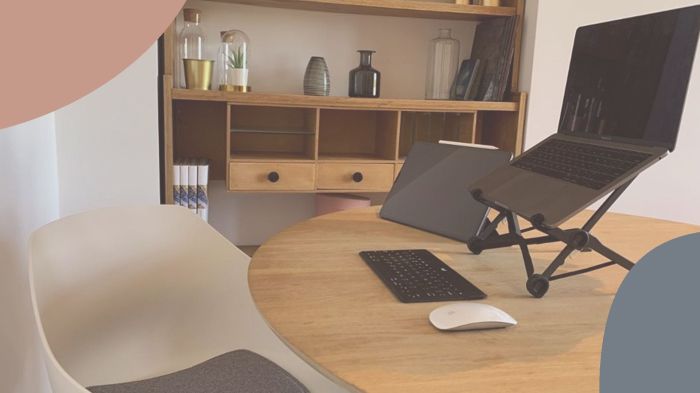
Creating an optimized digital nomad workspace is an iterative process, requiring adjustments and refinements along the way. By prioritizing ergonomics, reliable technology, and effective time management, you can cultivate a workspace that fosters productivity, comfort, and a healthy work-life balance. Remember to adapt your strategies as your needs and location change, embracing the flexibility inherent in the digital nomad lifestyle. Continuous improvement is key to maximizing your efficiency and well-being on the road.