Unlock the full potential of your smartwatch’s health tracking capabilities. This guide delves into practical strategies to enhance the accuracy and usefulness of your device’s data, transforming it from a simple gadget into a powerful tool for personal wellness. We’ll explore how to fine-tune settings, optimize sensor performance, and personalize data presentation for a more insightful and effective health monitoring experience.
From improving the accuracy of heart rate and sleep tracking to customizing notifications and data visualization, we’ll cover essential steps to maximize the value of your smartwatch investment. Learn how to interpret the data your smartwatch collects, understand the factors affecting its accuracy, and ultimately, make informed decisions about your health and well-being.
Optimizing Smartwatch Sensor Accuracy
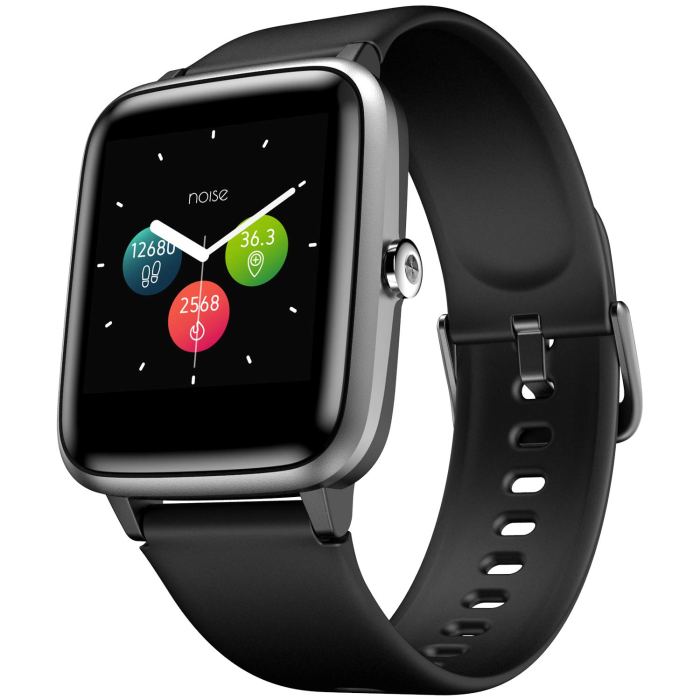
Accurate health tracking relies heavily on the precision of your smartwatch’s sensors. Several factors can influence the reliability of data collected, impacting the insights you gain about your fitness and well-being. Understanding these factors and implementing appropriate adjustments can significantly improve the accuracy of your smartwatch’s readings.
Factors Affecting Smartwatch Sensor Accuracy
Several common factors contribute to variations in sensor accuracy. These include skin tone, movement, and sensor placement. Addressing these issues can lead to more reliable data.
- Skin Tone: Darker skin tones can sometimes interfere with optical heart rate sensors, leading to less accurate readings. To mitigate this, ensure your wrist is clean and dry before taking measurements. Experiment with slightly different tightness of the watch band to find the optimal balance between comfort and sensor contact. Some smartwatches offer features to compensate for skin tone variations, so check your device’s settings.
- Movement: Excessive movement during measurements, especially jarring movements or vibrations, can disrupt the sensor’s ability to accurately capture data. For accurate readings, try to remain still during heart rate measurements, and avoid strenuous activity immediately before taking readings. Consider using a stationary position to minimize interference.
- Sensor Placement: The position of the smartwatch on your wrist significantly impacts sensor performance. Incorrect placement can lead to inaccurate readings, particularly for heart rate and SpO2. Ensure the sensor is in firm contact with your skin, and the watch is positioned snugly but not too tightly.
Heart Rate Tracking Accuracy Across Brands
The accuracy of heart rate tracking varies across smartwatch brands and models. While many smartwatches offer reliable heart rate monitoring, some perform better than others. For example, Apple Watches are generally known for their relatively high accuracy, often utilizing multiple sensors for data triangulation. However, certain budget-friendly brands might exhibit greater variability in their readings, especially during high-intensity workouts. More advanced models, including those from Garmin and Fitbit, also generally provide more robust and precise data, often incorporating advanced algorithms and sensor technologies. Direct comparisons require specific model comparisons, and independent testing results can provide more precise accuracy benchmarks.
Optimal Wrist Placement for Accurate Readings
Proper wrist placement is crucial for obtaining accurate sensor readings. The ideal position is on the inner wrist, slightly below the wrist bone, ensuring the sensor maintains consistent contact with the skin. The watch should be snug enough to prevent movement but not so tight as to restrict blood flow. Avoid wearing the watch over clothing, as this can interfere with sensor contact. The watch face should generally be facing upwards, allowing for optimal sensor contact.
Smartwatch Altimeter Calibration
Calibrating your smartwatch’s altimeter is essential for accurate elevation tracking. Inaccurate altimeter readings can significantly affect the accuracy of data related to altitude changes, such as during hiking or running.
| Device | Method | Accuracy | Notes |
|---|---|---|---|
| Garmin Smartwatch | Manual Calibration using known elevation | High, after calibration | Requires knowing the precise elevation at a specific location. |
| Apple Watch | Automatic Calibration using GPS data | Moderate to High | Relies on GPS signal availability. |
| Fitbit Smartwatch | Automatic Calibration using GPS and Barometric Pressure | Moderate | Can be affected by atmospheric pressure changes. |
| Generic Smartwatch | No built-in calibration | Low | Elevation data will likely be less precise. Consider using a dedicated GPS device for accurate elevation tracking. |
Maximizing Sleep Tracking Effectiveness
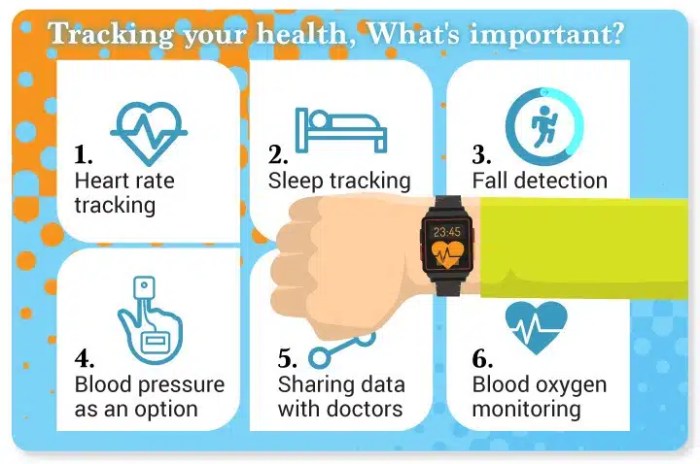
Accurate sleep tracking can significantly improve your understanding of your sleep patterns and overall well-being. While smartwatches offer convenient sleep monitoring, several factors can influence the accuracy of the data collected. Optimizing your smartwatch’s settings and understanding the environmental impacts on sleep tracking are crucial for obtaining reliable and insightful information.
Smartwatches typically use a combination of accelerometers and heart rate sensors to track sleep. Accelerometers detect movement, while heart rate monitors measure changes in your heart rhythm. These data points are then used to identify different sleep stages. However, the accuracy of this data can be affected by various factors, as we’ll explore below.
Improving Sleep Data Accuracy with Smartwatch Settings
Adjusting specific settings on your smartwatch can significantly enhance the accuracy of your sleep data. The following five tips offer practical steps to improve the quality of your sleep tracking information.
- Ensure Proper Wrist Placement: Wear your smartwatch snugly but comfortably on your wrist, avoiding loose straps that could lead to inaccurate movement detection.
- Enable Automatic Sleep Tracking: Most smartwatches offer automatic sleep tracking. Ensure this feature is enabled to consistently record your sleep patterns without manual intervention.
- Calibrate Your Heart Rate Sensor: Regularly check the accuracy of your smartwatch’s heart rate sensor. Inaccurate heart rate readings can negatively impact sleep stage identification. Many devices offer calibration options.
- Update Your Smartwatch Software: Software updates often include improvements to sensor accuracy and algorithms, leading to more reliable sleep data. Keep your smartwatch’s software updated for optimal performance.
- Maintain Consistent Wear Time: For accurate sleep tracking, wear your smartwatch consistently throughout the day and night. Removing it during the day can disrupt data collection and analysis.
Interpreting Sleep Stage Data
Understanding the different sleep stages identified by your smartwatch is key to interpreting the data effectively. Most smartwatches will categorize sleep into several stages, each with its own significance.
- Light Sleep: This is the transition phase between wakefulness and deep sleep. You’re easily awakened during this stage.
- Deep Sleep: This is the most restorative sleep stage, essential for physical and cognitive recovery. It’s characterized by slow brain waves and reduced heart rate and breathing.
- REM (Rapid Eye Movement) Sleep: This is the stage associated with dreaming and memory consolidation. Brain activity is similar to wakefulness, but your body is essentially paralyzed.
- Awake: Periods of wakefulness during the night, even brief ones, are recorded. Excessive awake time might indicate sleep disturbances.
The proportion of time spent in each stage can provide valuable insights into your overall sleep quality. For instance, insufficient deep sleep can lead to daytime fatigue, while disrupted REM sleep may affect memory and mood.
Environmental Factors and Sleep Tracking Accuracy
Environmental factors significantly influence the accuracy of sleep tracking. Understanding these influences allows for better data interpretation and mitigation strategies.
- Light: Exposure to light, especially blue light from electronic devices, can suppress melatonin production and disrupt sleep. Minimize light exposure before bed to improve sleep quality and tracking accuracy.
- Temperature: An excessively hot or cold room can interfere with sleep. Maintaining a comfortable room temperature promotes better sleep and clearer sleep stage identification.
- Noise: Noise pollution can disrupt sleep cycles and lead to inaccurate sleep data. Minimize noise levels in your bedroom to improve sleep quality and the reliability of your sleep tracking data.
By mitigating these environmental factors, you can improve the accuracy of your smartwatch’s sleep tracking and gain more meaningful insights into your sleep patterns.
Setting Up and Interpreting Sleep Tracking on an Apple Watch
Here’s a step-by-step guide on setting up and interpreting sleep tracking on an Apple Watch:
- Enable Sleep Tracking: Open the Apple Watch app on your iPhone, go to “Sleep,” and turn on “Sleep Tracking.”
- Set a Sleep Schedule: Define your desired bedtime and wake-up time. The watch will use this to automatically track your sleep.
- Use the Bedtime Feature (Optional): The Bedtime feature can help you establish a consistent sleep schedule and provides gentle wake-up alerts.
- Review Sleep Data: Access your sleep data on your Apple Watch and iPhone by opening the Sleep app. The data will show total sleep time, sleep stages, and periods of wakefulness.
- Interpreting the Data: The Apple Watch provides a graphical representation of your sleep stages. Analyze the proportion of time spent in each stage to identify potential sleep issues. For example, consistently low deep sleep may suggest a need for lifestyle adjustments.
Personalizing Health Tracking Notifications & Data Views
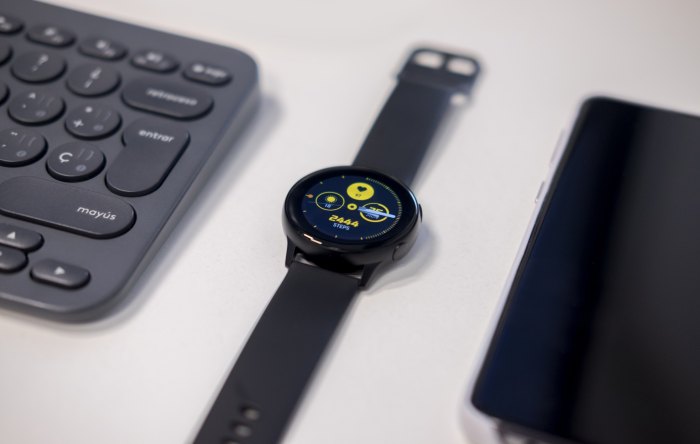
Effective personalization of your smartwatch’s health tracking features significantly enhances user experience and promotes consistent monitoring. By tailoring notifications and data visualization to your preferences, you can stay informed about your health metrics without feeling overwhelmed or distracted. This section explores how to optimize these aspects for maximum benefit.
Smartwatch notification methods for health data vary, each with its own advantages and disadvantages. Understanding these nuances allows for a customized approach that best suits individual needs and lifestyle.
Notification Methods: Vibration, Sound, and Screen Display
Vibration alerts provide discreet feedback, ideal for situations where sound might be disruptive, such as meetings or quiet environments. However, they can be easily missed if the user isn’t paying close attention. Audible notifications offer a more noticeable alert, but are inappropriate in quiet settings. Screen displays provide the most comprehensive information at a glance but consume more battery power and can be distracting. The optimal approach often involves a combination of these methods, prioritizing vibration for less critical updates and sound or screen display for urgent or important data points. For example, a gentle vibration might alert you to a low heart rate, while a sound and screen notification could signal a significant deviation from your average resting heart rate.
Data Visualization Options: Graphs, Charts, and Numerical Values
Different data visualization methods cater to different preferences and information processing styles. Consider this textual representation:
Imagine three representations of your daily step count:
* Numerical Value: Simply displays “10,500 steps” – concise but lacks context.
* Bar Chart: Shows a daily bar representing 10,500 steps, allowing comparison with previous days, easily showing trends over time.
* Line Graph: Plots your step count over a week or month, highlighting trends and patterns more clearly than a bar chart, showing the progression of your daily activity.
Each method has its strengths. Numerical values are quick to understand; bar charts offer easy comparisons; line graphs reveal long-term trends. The best choice depends on your preferred method of interpreting data.
Prioritizing Key Health Metrics and Customizing Notifications
Three key metrics for most users to prioritize are heart rate, sleep duration, and activity levels (steps or active minutes). Customizing notification settings to highlight these is straightforward. Most smartwatches allow you to set thresholds for each metric, triggering notifications when values exceed or fall below these levels. For example, you could set a notification for when your resting heart rate consistently stays above 80 bpm, for when your sleep duration falls below 7 hours, or when you haven’t reached your daily step goal. This ensures that you receive alerts only when significant changes occur, avoiding notification overload.
Customizing Smartwatch Display for Prioritized Health Data
The approach to customizing your smartwatch’s display depends heavily on the specific interface. However, most smartwatches allow you to select which widgets or data points are prominently displayed on the watch face.
* Example 1 (Simple Watch Face): A watch face might allow you to display your current heart rate, step count, and the time. You would select these three metrics as your primary display elements.
* Example 2 (Modular Watch Face): A more complex watch face may allow you to arrange several smaller data panels. You could arrange panels for heart rate, sleep quality score, and daily step progress, giving a quick overview of your health status.
* Example 3 (Customizable Widget System): Some smartwatches offer a fully customizable widget system. You can select widgets displaying your most important health metrics, such as heart rate variability, active calories burned, or stress levels, in addition to the aforementioned examples. This allows for a highly personalized and comprehensive health dashboard on your wrist.
End of Discussion
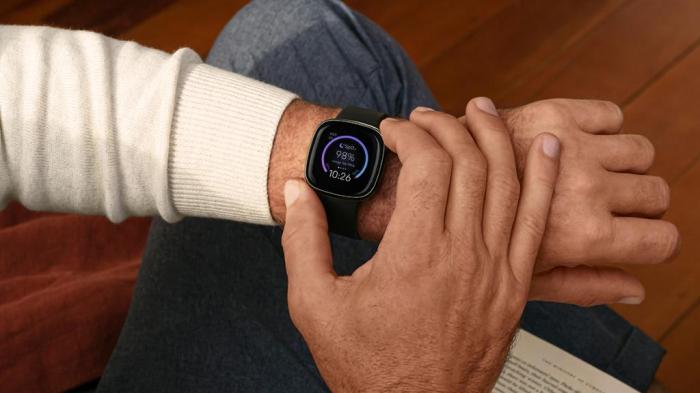
By implementing the simple yet effective strategies Artikeld in this guide, you can significantly enhance the accuracy and utility of your smartwatch’s health tracking features. From optimizing sensor placement to personalizing data visualization, these techniques empower you to gain a deeper understanding of your health metrics and leverage this knowledge for a healthier lifestyle. Remember, consistent monitoring and data interpretation are key to achieving meaningful results. Take control of your health journey and start maximizing the potential of your smartwatch today.