In today’s digital landscape, our online searches leave a significant trail. Search engines collect vast amounts of data, influencing everything from personalized results to targeted advertising. Understanding how to manage this data collection is crucial for protecting your online privacy. This guide provides four key strategies to enhance your search engine privacy settings, empowering you to navigate the internet with greater control over your personal information.
We’ll explore the intricacies of search engine data collection, demonstrating practical methods to minimize tracking and personalize your search experience. From adjusting individual settings on popular search engines like Google and Bing to leveraging browser extensions and privacy-focused search alternatives, this guide equips you with the knowledge to make informed decisions about your online privacy.
Understanding Search Engine Privacy Settings

Protecting your online privacy is increasingly important in today’s digital world. Search engines, while incredibly useful, collect vast amounts of data about your online activity. Understanding how this data is collected and how to control it is crucial for maintaining your privacy. This section details the types of data collected, how to access privacy settings in popular search engines, and compares the privacy features offered by Google, Bing, and DuckDuckGo.
Data Collected by Search Engines
Search engines collect various types of data to personalize your search experience and target advertising. This data can include your search queries, the websites you visit, your IP address, your location, your device information, and even your browsing history. This information is used to build a profile of your interests, allowing search engines to tailor results and advertisements to you. However, the extent of this data collection can raise privacy concerns for many users. The more data a search engine collects, the more potential there is for misuse or unauthorized access.
Accessing Privacy Settings in Popular Search Engines
Modifying your privacy settings is a straightforward process, although the exact steps may vary slightly depending on the search engine. Below are step-by-step guides for Google, Bing, and DuckDuckGo.
Google Search Privacy Settings
1. Access your Google Account: Go to myaccount.google.com and sign in.
2. Navigate to Data & personalization: In the left-hand menu, click on “Data & personalization.”
3. Manage your activity controls: Find the “Activity controls” section. Here you can manage your Web & App Activity, Location History, YouTube History, and more. You can choose to pause or delete your activity.
4. Review your ad personalization: Under “Ads Personalization,” you can review and manage the ads you see based on your activity. You can choose to turn off personalized ads entirely.
Bing Search Privacy Settings
1. Access your Microsoft account: Go to account.microsoft.com and sign in.
2. Navigate to Privacy: Find the “Privacy” section in your account settings.
3. Manage your browsing data: Here, you can control your browsing history and other data collected by Bing. Options include clearing your browsing history and managing your personalized experiences.
4. Review and adjust ad personalization: Similar to Google, Bing offers options to manage ad personalization based on your activity.
DuckDuckGo Privacy Settings
DuckDuckGo’s privacy-focused design means there are fewer settings to adjust. It doesn’t track your searches or personalize results in the same way as Google or Bing. Therefore, there is no extensive user-adjustable privacy settings panel. However, you can always clear your browser’s cache and cookies to remove any temporary data.
Comparison of Search Engine Privacy Features
The following table compares the privacy features of three major search engines. Note that these features are subject to change, so it is recommended to check the respective search engine’s privacy policy for the most up-to-date information.
| Search Engine | Data Collected | Privacy Controls | Level of Control |
|---|---|---|---|
| Search queries, browsing history, location, device information, etc. | Activity controls, ad personalization settings, data deletion options | High, with granular control over various data types. | |
| Bing | Search queries, browsing history, location, device information, etc. | Browsing data management, ad personalization settings | Moderate, with less granular control than Google. |
| DuckDuckGo | Minimal data collection; primarily IP address (anonymized). | Limited direct controls; relies on browser settings and inherent privacy features. | High (by design), due to minimal data collection. |
Managing Personalized Search Results
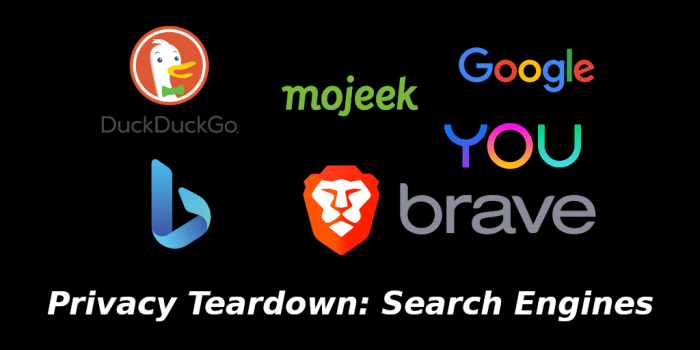
Personalized search results, while convenient, significantly impact user privacy. By tailoring results based on your past searches, location, and other data points, search engines build detailed profiles of your interests and behaviors. This information, while used to improve your search experience, can also be used for targeted advertising and potentially even data profiling by third parties. Understanding this trade-off between convenience and privacy is crucial for informed decision-making.
The degree of personalization varies across search engines, but generally involves tracking your online activity to create a unique user profile. This profile influences the order and content of search results, potentially exposing your preferences and search history to the search engine provider. This raises concerns about data security and the potential for misuse of personal information.
Methods for Minimizing Personalized Search Results
Minimizing the impact of personalized search results involves taking proactive steps to limit the data collected by search engines. This includes adjusting your privacy settings within the search engine itself, using privacy-focused browsers or extensions, and employing more general online privacy practices. A multi-pronged approach is most effective.
Disabling Location Tracking and Other Personalized Features
Most major search engines allow you to disable location tracking directly within their settings. This usually involves finding a privacy or settings menu, often accessible through an account profile. Disabling location services prevents the search engine from using your geographical location to tailor results. Similarly, many engines offer options to disable personalized ads and other features that rely on tracking your online behavior. These options might be labeled “Personalized Results,” “Ad Personalization,” or similar terms. The exact steps will vary depending on the search engine and device used. For example, in Google Search, you can manage your ad personalization settings in your Google Account.
Best Practices for Maintaining Privacy While Using Search Engines
Understanding how to navigate the complexities of search engine privacy is an ongoing process. The following best practices can help you maintain a greater degree of control over your personal data:
- Regularly review and adjust your search engine privacy settings.
- Use incognito or private browsing modes to prevent your search history from being stored locally.
- Employ a VPN (Virtual Private Network) to mask your IP address and encrypt your internet traffic.
- Consider using a privacy-focused search engine that prioritizes user anonymity.
- Be mindful of the information you share online, especially in search queries.
- Regularly clear your browsing history and cookies.
Protecting Your Data from Tracking

Search engines, while incredibly useful, collect vast amounts of data about your online activity. Understanding how this data is collected and implementing strategies to mitigate tracking is crucial for maintaining your online privacy. This section will explore common tracking methods, compare privacy-enhancing tools, and Artikel practical steps to minimize your digital footprint.
Search engines employ various techniques to track your online behavior. These include cookies, which are small text files stored on your device, tracking pixels (tiny, invisible images embedded in web pages), and browser fingerprinting, which uses a combination of your browser settings and installed plugins to create a unique identifier. They also analyze your search queries, the websites you visit, and your location to build a detailed profile of your interests and preferences. This information is then used to personalize your search results, target advertisements, and potentially for other purposes.
Common Tracking Mechanisms Employed by Search Engines
Search engines utilize several methods to track user activity. Cookies, for example, are small text files stored on your computer that remember your preferences and browsing history. These can be first-party cookies, directly placed by the search engine itself, or third-party cookies, set by other websites embedded within the search results. Tracking pixels are another common technique; these are tiny images that are loaded when you visit a page, sending information back to the search engine about your activity. Finally, browser fingerprinting uses a combination of your browser settings, plugins, and other characteristics to create a unique identifier, even if you’re using private browsing mode. The combination of these techniques allows search engines to create comprehensive profiles of user behavior.
Effectiveness of Privacy Extensions and Browser Settings
Numerous browser extensions and privacy settings aim to enhance your online anonymity. Privacy extensions like uBlock Origin and Privacy Badger block trackers and ads, while others like HTTPS Everywhere enforce secure connections. However, their effectiveness varies. Some extensions might inadvertently block useful website functionality, and the constant evolution of tracking techniques requires ongoing updates to maintain effectiveness. Browser settings, such as disabling cookies and location services, offer additional layers of protection. However, these settings can limit the functionality of certain websites. A balanced approach, combining the use of reputable privacy extensions with careful management of browser settings, is often the most effective strategy.
Utilizing Incognito Mode or Private Browsing to Limit Data Collection
Incognito mode or private browsing prevents your browser from saving your browsing history, cookies, and site data. However, it’s crucial to understand that this doesn’t completely eliminate tracking. Your internet service provider (ISP) can still see your activity, and websites might still track you through other means like your IP address or browser fingerprinting. Incognito mode is a valuable tool, but it should be considered one part of a broader privacy strategy rather than a standalone solution.
Steps to Reduce Your Digital Footprint When Searching Online
Minimizing your digital footprint while searching requires a multi-faceted approach. First, utilize a VPN (Virtual Private Network) to mask your IP address and encrypt your internet traffic. Second, regularly clear your browser’s cache, cookies, and history. Third, use a search engine with a strong privacy policy, or consider using a privacy-focused search engine. Fourth, be mindful of the information you share online; avoid entering personal details unless absolutely necessary. Fifth, employ a combination of privacy extensions and browser settings to block trackers and limit data collection. By implementing these steps, you can significantly reduce the amount of data search engines collect about your online activity.
Conclusive Thoughts

Optimizing your search engine privacy settings is an ongoing process, requiring vigilance and proactive adjustments. By implementing the strategies Artikeld in this guide—understanding data collection, managing personalized results, protecting against tracking, and utilizing privacy-enhancing tools—you can significantly reduce your digital footprint and regain control over your online privacy. Remember that maintaining privacy is a continuous effort, requiring regular review and adaptation to evolving technologies and practices.