Boosting your programming productivity isn’t about working harder; it’s about working smarter. This guide unveils four key strategies to streamline your workflow, transforming your coding experience from chaotic to efficient. We’ll explore practical techniques for structuring code, leveraging powerful tools, mastering time management, and cultivating effective habits, all designed to help you write better code, faster.
From mastering modular programming and utilizing the right IDE to conquering distractions and implementing effective code review practices, this guide offers a comprehensive approach to optimizing your programming journey. We’ll delve into specific examples and best practices to ensure you can immediately implement these strategies into your daily coding routine. Prepare to unlock a new level of productivity and satisfaction in your programming work.
Efficient Code Structure & Organization

Well-structured code is the cornerstone of a productive programming workflow. A clear, modular design significantly improves readability, maintainability, and ultimately, the efficiency of your development process. This section will explore strategies for organizing your code effectively, leading to cleaner, more robust, and easier-to-debug programs.
Modular Programming
Modular programming advocates breaking down large programs into smaller, independent modules or functions. This approach enhances code reusability, simplifies debugging, and facilitates parallel development by different team members. Consider a large program for processing image data: instead of one monolithic function, we can create separate modules for image loading, filtering, and saving. This modularity allows for easier testing and modification of individual components without affecting the entire system.
Comparison of Code Structuring Approaches
| Approach | Description | Advantages | Disadvantages |
|---|---|---|---|
| Procedural | Code is organized as a sequence of procedures or functions. | Simple to understand and implement for smaller programs. | Can become difficult to manage and maintain for larger, complex projects; limited code reusability. |
| Object-Oriented | Code is organized around objects, which encapsulate data and methods. | Improved code reusability, maintainability, and scalability; facilitates complex program design. | Steeper learning curve compared to procedural programming. |
Error Handling and Logging
Robust error handling is crucial for creating reliable software. A dedicated function can centralize error checking and logging, providing consistent error reporting throughout the program. This function might accept an error message, error code, and potentially other relevant context (like the function where the error occurred). It then logs the information to a file or console and might even trigger alerts or take corrective actions.
“`python
import logging
def handle_error(error_message, error_code, location):
“””Handles errors by logging and optionally taking action.”””
logger = logging.getLogger(__name__)
logger.error(f”Error error_code at location: error_message”)
# Add further actions like sending email alerts or attempting recovery here.
“`
Naming Conventions and Code Commenting
Consistent naming conventions and comprehensive comments are essential for readability and maintainability. Using descriptive names for variables, functions, and classes clarifies their purpose. Comments should explain the “why” behind the code, not just the “what.” For example, instead of `x = 5`, use `num_iterations = 5`. And instead of `#add 2 to x`, use `#add 2 to num_iterations to account for header row`.
Version Control with Git
Version control systems like Git are indispensable for managing code changes and facilitating collaboration. Git allows you to track changes, revert to previous versions, and merge contributions from multiple developers. A simple example involves initializing a Git repository, staging changes with `git add .`, committing changes with `git commit -m “Initial commit”`, and pushing changes to a remote repository with `git push origin main`. This process ensures a history of code modifications, enabling easy rollback and collaborative development.
Leveraging Tools & Technologies
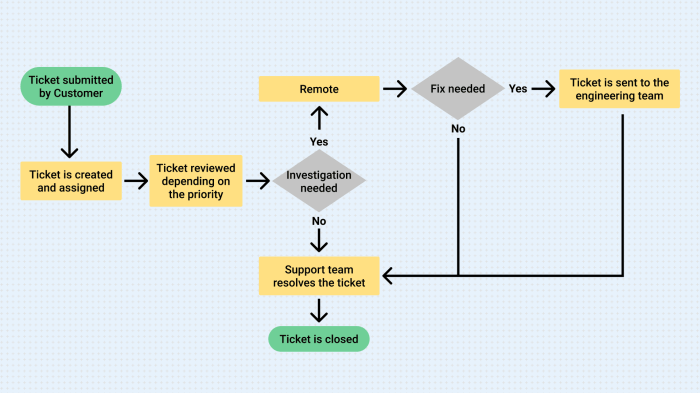
Optimizing your programming workflow extends beyond efficient code structure; it necessitates leveraging powerful tools and technologies designed to enhance productivity and code quality. This section explores key tools and techniques that can significantly improve your development process, from choosing the right IDE to mastering debugging and automated testing.
Integrated Development Environments (IDEs) Comparison
Selecting the appropriate IDE is crucial for optimizing your workflow. Different IDEs cater to various programming languages and offer unique features. The following table compares some popular IDEs based on their relevance to workflow optimization:
| IDE Name | Key Features | Pros | Cons |
|---|---|---|---|
| Visual Studio Code | Extensive extension support, integrated terminal, Git integration, debugging tools, IntelliSense | Highly customizable, lightweight, cross-platform, large community support | Can become resource-intensive with many extensions; configuration can be complex for beginners |
| IntelliJ IDEA | Smart code completion, powerful refactoring tools, excellent debugging capabilities, integrated testing frameworks | Exceptional Java support, robust features for large projects, strong refactoring capabilities | Resource-intensive, more expensive than some alternatives, steeper learning curve |
| PyCharm | Python-specific features, intelligent code completion, integrated debugger, scientific tools (for scientific Python) | Excellent Python support, user-friendly interface, robust debugging and testing features | Primarily focused on Python, less versatile than general-purpose IDEs |
| Eclipse | Large plugin ecosystem, extensive Java support, robust debugging tools, Git integration | Mature and stable, large community support, free and open-source | Can be slow and resource-intensive, complex interface can be overwhelming for beginners |
Debugging Tools and Techniques
Effective debugging is paramount to efficient programming. Debugging tools allow developers to identify and resolve errors within their code. These tools typically provide features like breakpoints, stepping through code execution, inspecting variables, and evaluating expressions.
For example, consider a common error like an `IndexOutOfBoundsException` in Java. Using a debugger, you can set a breakpoint just before the line of code accessing an array. By stepping through the code execution, you can inspect the array’s size and the index being accessed, quickly pinpointing the source of the error—perhaps an off-by-one error or an incorrect loop condition. Similar debugging techniques apply across various programming languages and IDEs.
Linters and Code Formatters
Maintaining consistent code style and identifying potential issues early on is crucial for long-term project maintainability and collaboration. Linters analyze code for style violations and potential bugs, while code formatters automatically reformat code to adhere to a consistent style guide.
For instance, using a linter like ESLint for JavaScript can detect issues such as unused variables, potential null pointer dereferences, and inconsistent indentation. A code formatter like Prettier can automatically enforce a consistent code style, eliminating stylistic debates among team members and improving code readability. These tools help prevent many common errors before they become significant problems.
Automated Testing Frameworks
Automated testing significantly improves code quality and reduces the risk of bugs. Testing frameworks provide tools to write and run automated tests, ensuring that code behaves as expected under various conditions.
Using a framework like JUnit for Java or pytest for Python, you can write unit tests to verify the functionality of individual code components. These tests can be automatically run as part of the build process, ensuring that new code doesn’t introduce regressions. For example, a unit test for a function that calculates the area of a circle would verify that the function returns the correct result for various input radii. This approach catches bugs early, saving time and effort during debugging.
Effective Time Management & Habits
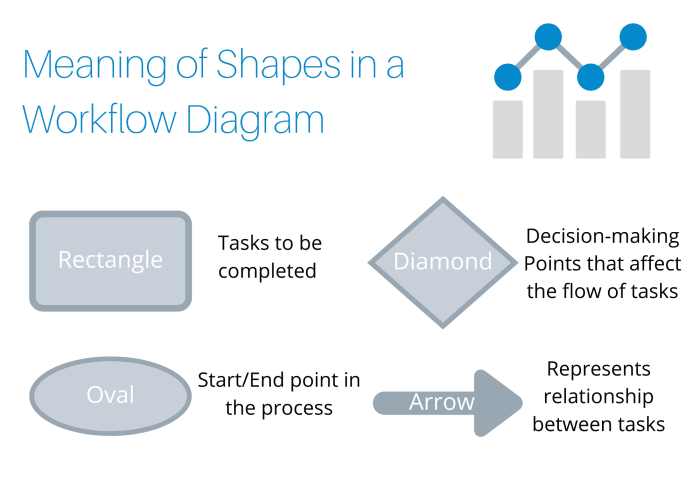
Effective time management and the cultivation of strong work habits are crucial for optimizing your programming workflow. By structuring your day, minimizing distractions, and implementing regular code reviews, you can significantly improve your productivity and the quality of your code. This section Artikels strategies to help you achieve this.
A Typical Day for Optimal Programming Workflow
A well-structured day can dramatically increase your programming efficiency. The key is to balance focused work periods with necessary breaks to prevent burnout and maintain concentration. The following schedule is a suggestion; adapt it to your personal preferences and project demands.
- 8:00 AM – 9:00 AM: Focused work on the most challenging task of the day. This requires minimal distractions and complete concentration.
- 9:00 AM – 9:15 AM: Short break – stretch, grab a coffee, or step away from the computer.
- 9:15 AM – 11:15 AM: Focused work on a secondary task, allowing for a change of pace and preventing mental fatigue from focusing solely on one problem.
- 11:15 AM – 11:45 AM: Lunch break.
- 11:45 AM – 1:45 PM: Focused work, potentially tackling smaller tasks or addressing less demanding aspects of the project.
- 1:45 PM – 2:00 PM: Short break.
- 2:00 PM – 4:00 PM: Dedicated time for code review, testing, or collaboration with team members.
- 4:00 PM – 4:15 PM: Short break.
- 4:15 PM – 5:15 PM: Wrap up the day, plan for tomorrow, and address any urgent tasks.
Minimizing Distractions and Maintaining Focus
Programmers frequently face interruptions that disrupt their concentration and workflow. These can range from email notifications and social media alerts to impromptu meetings and noisy environments. Strategies for minimizing these distractions include:
- Turn off notifications: Silence email, social media, and other non-essential notifications during focused work periods.
- Use website blockers: Employ browser extensions or applications that block distracting websites during work sessions.
- Communicate your availability: Let colleagues know when you need uninterrupted time to focus on critical tasks.
- Create a dedicated workspace: Designate a quiet and organized space free from clutter and distractions.
- Use the Pomodoro Technique: Work in focused bursts (e.g., 25 minutes) followed by short breaks to maintain concentration and prevent burnout.
Effective Code Reviews
Regular code reviews are essential for improving code quality, identifying bugs early, and fostering knowledge sharing within a team. An effective code review process involves:
- Establish clear guidelines: Define the scope and objectives of the code review, specifying what aspects to focus on (e.g., functionality, style, security).
- Use a collaborative tool: Employ a code review platform that allows for efficient commenting and tracking of changes.
- Focus on the code, not the person: Provide constructive feedback that is specific, actionable, and avoids personal attacks.
- Prioritize critical issues: Address major bugs and security vulnerabilities before focusing on minor style inconsistencies.
- Follow up on feedback: Ensure that identified issues are addressed and that the code is updated accordingly.
Task Management and Prioritization
Effective task management is vital for staying organized and meeting project deadlines. The following checklist provides best practices for managing and prioritizing tasks:
- Use a task management system: Employ a tool (e.g., project management software, to-do list app) to track tasks, deadlines, and progress.
- Break down large tasks: Decompose complex tasks into smaller, more manageable sub-tasks to improve organization and tracking.
- Prioritize tasks: Use a prioritization method (e.g., MoSCoW method, Eisenhower Matrix) to focus on the most important and urgent tasks first.
- Estimate task durations realistically: Accurately assess the time required for each task to avoid overcommitment and missed deadlines.
- Regularly review and update tasks: Monitor progress, adjust priorities as needed, and identify potential roadblocks early.
Ultimate Conclusion

By implementing these four key strategies—efficient code structure, leveraging powerful tools, effective time management, and consistent good habits—you can significantly enhance your programming workflow. Remember, optimizing your process isn’t a one-time fix but an ongoing journey of refinement. Continuously evaluate your methods, adapt to new tools, and refine your habits to consistently improve your efficiency and the quality of your code. The result will be a more fulfilling and productive programming experience.