Creating a successful website hinges on more than just aesthetics; it requires a deep understanding of user experience (UX) and technical optimization. A well-designed website seamlessly guides users towards their goals, leading to increased engagement and conversions. This guide explores nine key strategies to enhance your website’s design, focusing on intuitive navigation, fast loading speeds, and accessibility for all users.
We’ll delve into the crucial aspects of UX principles, examining how clear calls to action, effective navigation systems, and user-centric design choices contribute to a positive online experience. Furthermore, we’ll explore the technical side, covering website speed optimization techniques such as image compression, minimizing HTTP requests, and code optimization. Finally, we’ll address the importance of mobile responsiveness and web accessibility, ensuring your website is inclusive and accessible to all users regardless of device or ability.
Understanding User Experience (UX) Principles

Creating a user-friendly website hinges on a deep understanding of user experience (UX) principles. A well-designed website anticipates user needs and guides them effortlessly towards their goals. This involves careful consideration of navigation, calls to action, and a thorough understanding of your target audience. Ignoring these principles can lead to high bounce rates, low conversion rates, and ultimately, a failed online presence.
Website Navigation Systems
Effective website navigation is paramount for a positive user experience. A clear and intuitive navigation system allows users to easily find the information they need, reducing frustration and improving engagement. Different navigation styles cater to different website structures and user preferences. The choice depends on factors like website complexity, content volume, and target audience.
| Navigation Style | Description | Pros | Cons |
|---|---|---|---|
| Mega Menu | A large drop-down menu offering extensive categorization and sub-navigation options. | Provides comprehensive access to site content, suitable for large websites with many categories. | Can be overwhelming if not well-organized, may impact loading speed. |
| Breadcrumb Navigation | A hierarchical trail showing the user’s current location within the website. | Provides context and allows users to easily navigate back to previous sections. | Less effective for websites with flat structures. |
| Sidebar Navigation | A vertical menu typically placed on the left or right side of the webpage. | Provides consistent access to main navigation points, works well with various content layouts. | Can be less prominent than other navigation styles, may not be ideal for mobile devices. |
| Footer Navigation | Links placed at the bottom of the page, often including copyright information and sitemap links. | Provides quick access to essential information like contact details and legal pages. | Less prominent than header navigation; primarily for supplementary links. |
Calls to Action (CTAs)
Clear and compelling calls to action (CTAs) are crucial for guiding users towards desired behaviors, such as making a purchase, signing up for a newsletter, or contacting customer service. Effective CTAs are more than just buttons; they are strategically designed prompts that encourage interaction.
Effective CTA button design incorporates elements such as strong verbs (e.g., “Shop Now,” “Learn More,” “Get Started”), clear and concise text, contrasting colors that stand out against the background, and appropriate size and placement. For example, a website selling handcrafted jewelry might use a CTA button that says “Browse Collection” with a visually appealing design that complements the overall aesthetic of the site. This button would be prominently displayed on the homepage and other relevant pages. A poorly designed CTA, conversely, might use vague language (“Click Here”), be too small, or blend in with the background, resulting in low click-through rates.
User Persona Development
Creating a user persona helps designers understand their target audience’s needs, behaviors, and motivations. A well-defined persona informs design choices by providing a concrete representation of the ideal website user.
For example, let’s consider a persona named “Sarah,” a 35-year-old freelance graphic designer. Sarah is tech-savvy, values efficiency, and prefers visually appealing websites with clean layouts. Her needs would inform design choices in several ways: the website should load quickly, navigation should be intuitive and easy to use, the visual design should be modern and professional, and the content should be concise and relevant to her profession. Understanding Sarah’s preferences allows designers to prioritize features and design elements that cater specifically to her needs and those of other users like her. This approach leads to a more engaging and effective website experience.
Optimizing Website Speed and Performance

Website speed is paramount for a positive user experience. Slow loading times lead to high bounce rates, decreased conversions, and ultimately, damage your site’s reputation. Optimizing your website’s speed involves several key strategies, focusing on image optimization, minimizing HTTP requests, and streamlining your website’s code.
Image Optimization Techniques
High-quality images are crucial for visual appeal, but large image files significantly impact loading speed. Employing effective image optimization techniques is essential. This involves choosing the right image format, compressing images without sacrificing too much quality, and using responsive images that adapt to different screen sizes. For example, using WebP format often results in smaller file sizes compared to JPEG or PNG, leading to faster loading times. Tools like TinyPNG or ImageOptim provide lossy and lossless compression, allowing you to balance file size and image quality. Consider using SVG (Scalable Vector Graphics) for logos and simple illustrations, as they scale without losing quality.
Minimizing HTTP Requests
Every element on a webpage—images, scripts, CSS files—requires an individual HTTP request. Reducing the number of requests directly improves loading speed. Combining CSS and JavaScript files into fewer, larger files is a common technique. Using CSS sprites, where multiple small images are combined into a single larger image, also reduces requests. Efficient image optimization, as discussed previously, is also vital in this context.
Impact of Various Factors on Page Load Time
The following table illustrates the potential impact of different factors on page load time. These values are illustrative and can vary depending on server performance, network conditions, and the complexity of the website.
| Factor | Low Impact (Example) | Medium Impact (Example) | High Impact (Example) |
|---|---|---|---|
| Number of Images | 5 images (total size: 500KB) – Load time increase: negligible | 15 images (total size: 2MB) – Load time increase: noticeable | 50 images (total size: 10MB) – Load time increase: significant |
| JavaScript Files | 1 file (size: 50KB) – Load time increase: minimal | 3 files (total size: 200KB) – Load time increase: moderate | 10 files (total size: 1MB) – Load time increase: substantial |
| CSS Files | 1 file (size: 20KB) – Load time increase: negligible | 3 files (total size: 100KB) – Load time increase: minor | 5 files (total size: 300KB) – Load time increase: noticeable |
Optimizing Website Code for Faster Performance
Website code optimization significantly impacts performance. Minification reduces file sizes by removing unnecessary characters (whitespace, comments) from CSS, JavaScript, and HTML files. Caching stores frequently accessed website resources (images, CSS, JavaScript) locally on the user’s browser or server, reducing the need to repeatedly download them. Content Delivery Networks (CDNs) distribute website content across multiple servers globally, reducing latency for users in different locations. For example, a website using a CDN might load faster for a user in Europe than if the server were located only in the United States. Employing these techniques results in a much faster and more efficient website.
Mobile Responsiveness and Accessibility

In today’s multi-device world, ensuring your website functions flawlessly across all platforms is paramount. A website that’s not mobile-friendly will likely lose a significant portion of its potential audience, impacting conversions and overall success. Accessibility, meanwhile, ensures your site is usable by everyone, regardless of ability. Both mobile responsiveness and accessibility are crucial for a positive user experience and broader reach.
Mobile responsiveness and accessibility are intertwined aspects of a successful website. A responsive design adapts seamlessly to various screen sizes, providing an optimal experience on smartphones, tablets, and desktops. Accessibility, on the other hand, ensures users with disabilities can access and interact with the website’s content and functionality. These two elements are not mutually exclusive; in fact, a well-designed responsive site often incorporates accessibility features more easily.
Mobile-First Design for an E-commerce Store
Imagine an online store selling handcrafted jewelry, “ArtisanGems.” A mobile-first approach would prioritize the mobile experience. The initial design would focus on a clean, simple layout for smaller screens, ensuring essential elements like product images, descriptions, and the “add to cart” button are prominently displayed and easily accessible. As screen sizes increase (tablets and desktops), additional content and features, such as detailed product information or customer reviews, would be gracefully integrated without compromising the core mobile experience. Navigation would be intuitive and consistent across all devices, employing a hamburger menu for smaller screens and a persistent navigation bar for larger ones. Product images would be optimized for quick loading on mobile networks.
Responsive Web Design Best Practices
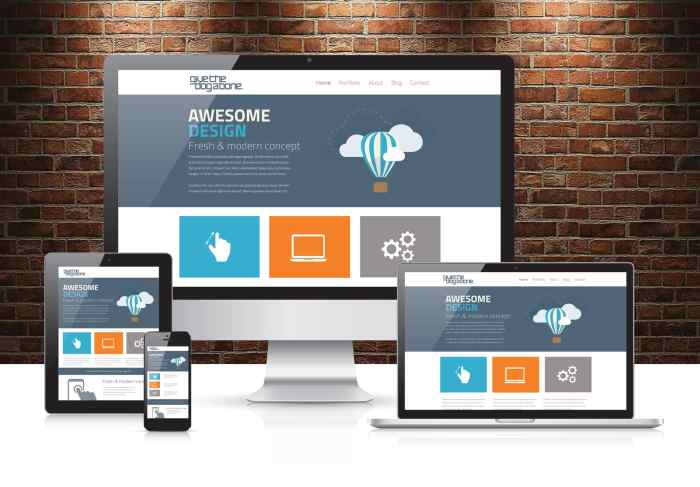
Prioritizing responsive design ensures your website adapts to different screen sizes and devices, providing a consistent user experience. Failure to do so can lead to frustrated users, poor search engine rankings, and ultimately, lost business.
- Fluid Grids: Use percentage-based widths instead of fixed pixel widths for layout elements. This allows elements to resize proportionally with the screen size.
- Flexible Images: Employ the
max-width: 100%CSS property to prevent images from exceeding their container’s width. This ensures images scale appropriately without distorting the layout. - Media Queries: Use CSS media queries to apply different styles based on screen size, orientation, and device capabilities. This allows for targeted adjustments to the layout and content for different devices.
- Mobile-First Approach: Design for the smallest screen size first and then progressively enhance the design for larger screens. This ensures a core experience is available on all devices.
- Testing Across Devices: Thoroughly test your website on various devices and browsers to ensure it renders correctly and functions as expected.
Web Accessibility Guidelines and Checklist
Web accessibility ensures that people with disabilities can perceive, understand, navigate, and interact with your website. Adhering to accessibility guidelines not only benefits users with disabilities but also improves the overall user experience for everyone. For example, providing alternative text for images benefits visually impaired users using screen readers, but also improves by providing context for search engines.
- Alternative Text for Images (alt text): Provide descriptive alt text for all images to convey their meaning to users who cannot see them.
- Keyboard Navigation: Ensure all interactive elements are accessible using only the keyboard.
- Sufficient Color Contrast: Use sufficient color contrast between text and background to ensure readability for users with low vision.
- Captioning and Transcripts for Videos: Provide captions and transcripts for all videos to make them accessible to users who are deaf or hard of hearing.
- ARIA Attributes: Use ARIA attributes to enhance the accessibility of interactive elements and dynamic content.
- Semantic HTML: Use semantic HTML5 elements (e.g.,
header,nav,main,footer) to structure your content logically. - Avoid Flash and other inaccessible plugins: These can exclude users with assistive technologies.
Epilogue
By implementing these nine tips, you can significantly improve your website’s user experience and overall performance. Remember that a user-friendly website is not just about aesthetics; it’s about creating a seamless and enjoyable experience for your visitors, leading to increased engagement, higher conversion rates, and ultimately, a more successful online presence. Continuous monitoring and adaptation are key to maintaining a high-performing and user-centric website in the ever-evolving digital landscape.