A well-structured website is the cornerstone of a successful online presence. It dictates user experience, search engine rankings, and ultimately, your bottom line. This guide provides five key strategies to optimize your website’s architecture, ensuring effortless navigation and a positive user journey. We’ll explore how to create intuitive menus, organize content logically, and implement user-friendly features that boost engagement and conversions.
From understanding fundamental website architecture patterns to mastering advanced techniques like implementing breadcrumbs and optimizing page load speed, we’ll cover everything you need to transform your website into a user-friendly and highly effective online asset. This isn’t just about technical implementation; it’s about understanding the psychology behind user behavior and leveraging that knowledge to create a truly exceptional online experience.
Understanding Website Architecture for Enhanced User Experience
A well-structured website is crucial for a positive user experience. A logical architecture ensures visitors can easily find what they need, reducing bounce rates and increasing engagement. Poor website structure, conversely, leads to frustration and lost opportunities. This section will explore different website architecture patterns and best practices for creating intuitive navigation.
Effective website architecture is all about creating a clear and logical path for users to navigate your content. It’s about organizing your information in a way that makes sense to your target audience, allowing them to easily find what they’re looking for without getting lost or confused. This leads to improved user satisfaction, higher conversion rates, and better search engine optimization ().
Website Architecture Patterns
Choosing the right architecture depends on the size and complexity of your website and the needs of your users. Three common patterns are hierarchical, flat, and hybrid. The following table compares these patterns:
| Architecture Pattern | Description | Advantages | Disadvantages |
|---|---|---|---|
| Hierarchical | Organizes content in a tree-like structure, with a main homepage branching out to categories and subcategories. Think of it like a file system on your computer. | Easy to navigate, clearly structured, suitable for large websites with lots of content. | Can become complex for very large sites; users might have to click through many pages to reach their destination. |
| Flat | All pages are linked to each other, creating a web-like structure. Each page is equally important. | Simple to implement, suitable for small websites with limited content. | Can be difficult to navigate for larger sites; users might struggle to find specific information. |
| Hybrid | Combines elements of both hierarchical and flat architectures. This approach allows for a balance between structure and ease of access to specific pages. | Offers a good balance between structure and accessibility; allows for easy navigation while providing direct access to important pages. | More complex to design and implement than the other two patterns. Requires careful planning to avoid confusion. |
Sitemap Example for an E-commerce Website
Consider a hypothetical e-commerce website selling clothing. A sitemap might look like this:
Homepage -> Men’s Clothing (Shirts, Pants, Jackets) -> Shirts (Casual, Formal, Athletic) -> Specific Shirt Product Page. A similar structure would exist for Women’s Clothing, Accessories, and a separate section for customer accounts and support.
This structure uses a hierarchical approach, providing clear navigation paths for users. Users can easily browse categories and subcategories until they find the specific product they are looking for.
Best Practices for Intuitive Menus and Internal Linking
Creating intuitive menus and internal linking structures is key to effective website architecture. A well-designed menu should be clear, concise, and easy to understand. Internal links should be strategically placed throughout the website to guide users towards relevant content.
Best practices include using descriptive menu labels, maintaining a consistent menu structure across all pages, and utilizing breadcrumbs to show users their current location within the website. Internal links should be relevant and contextually appropriate, helping users discover related content and explore the website further. For example, linking “learn more” from a product description to a detailed product specification page.
Optimizing Content Hierarchy and Organization

Effective content hierarchy and organization are crucial for a positive user experience and improved search engine optimization (). A well-structured website allows visitors to easily find the information they need, while also signaling to search engines the importance and relevance of different pages. This, in turn, can lead to higher rankings and increased visibility.
Proper heading structure (H1-H6) is fundamental to both user experience and . Using headings correctly helps to break up large blocks of text, making it easier for users to scan and understand the content. Search engines also use headings to understand the page’s structure and the importance of different sections.
Heading Structure and
The H1 tag should be used only once per page and should clearly represent the main topic. Subsequent headings (H2-H6) should be used to organize the content into logical sections and sub-sections, with H2 representing the major sections, H3 representing subsections within H2, and so on. For example, an article about “Website Optimization” might have an H1 of “Website Optimization: A Comprehensive Guide,” with H2s for “Optimizing Content Hierarchy,” “Improving Site Speed,” and “Enhancing User Experience,” and subsequent H3s detailing aspects of each H2. This hierarchical structure provides both users and search engines with a clear understanding of the page’s content.
Organizing Website Content
Organizing website content into logical categories and subcategories is essential for navigation and discoverability. Several methods can be employed to achieve this effectively.
- Categorization by Topic: Group related content under broad topic categories, creating a clear and intuitive structure. For example, an e-commerce website might categorize products by clothing, electronics, and home goods.
- Hierarchical Structure: Employ a hierarchical structure with parent and child categories, allowing for granular organization. This can be visualized as a tree structure, with the main categories as branches and subcategories as leaves.
- Tagging and ing: Use tags and s to categorize content based on specific terms and themes, enabling users to easily find relevant information through search or filtering options. This is particularly beneficial for websites with a large volume of content.
- Facets/Filters: Implement facets or filters that allow users to refine their search results based on specific criteria. This improves search functionality and allows users to quickly locate desired information.
Using Breadcrumbs for Navigation
Breadcrumbs are a navigational aid that shows users their current location within a website. They typically appear as a trail of links, leading from the homepage to the current page. For example, a path might read “Home > Products > Clothing > Shirts.” Breadcrumbs enhance user orientation, allowing them to easily navigate back to previous pages or explore related content. They also improve by providing contextual information to search engines.
Page Load Speed and User Experience
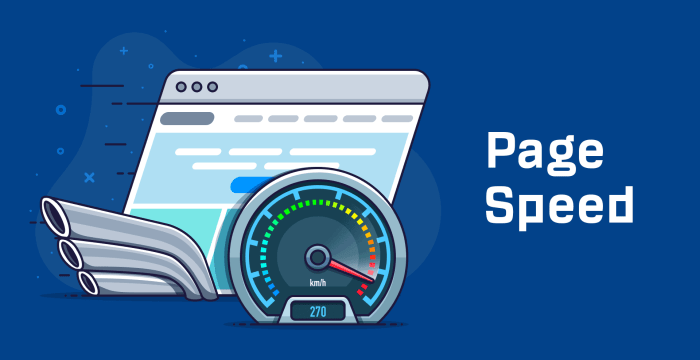
Page load speed significantly impacts user experience. Slow-loading pages lead to high bounce rates, decreased user engagement, and a negative impact on . Optimizing page load speed is crucial for retaining users and improving search rankings.
Strategies for optimization include:
- Image Optimization: Compress images without sacrificing quality to reduce file sizes.
- Minification and Caching: Minify CSS and JavaScript files to reduce their size and implement browser caching to store frequently accessed files locally.
- Content Delivery Network (CDN): Use a CDN to distribute website content across multiple servers, reducing latency and improving load times for users in different geographic locations.
- Efficient Code: Write clean, efficient code to minimize unnecessary processing and improve website performance.
Implementing User-Friendly Navigation Features
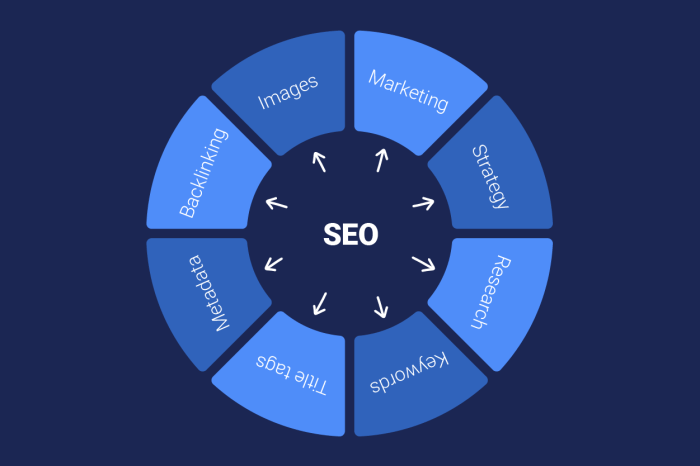
Effective website navigation is crucial for a positive user experience. A well-structured navigation system allows visitors to easily find the information they need, reducing bounce rates and increasing engagement. Intuitive navigation contributes significantly to a site’s overall usability and accessibility.
Clear and concise navigation is paramount. Users should be able to understand the site’s structure and quickly locate desired content without confusion or frustration. This involves careful consideration of menu placement, labeling, and the overall visual design.
Ideal Website Navigation Menu Structure
Imagine a horizontal navigation bar at the top of the page. It features concise, descriptive labels for each major section of the website (e.g., “Home,” “Products,” “Services,” “About Us,” “Contact”). Each label is clearly visible and uses consistent font size and style. The menu is uncluttered, avoiding excessive visual elements that could distract from its primary function. Sub-menus, if necessary, are accessible via hover effects, clearly indicating their presence and contents. The overall visual design integrates seamlessly with the website’s aesthetic, maintaining consistency and branding.
Comparison of Navigation Styles
Different navigation styles cater to various website structures and user preferences. Choosing the right style depends on the complexity of the website and the type of content being presented.
| Navigation Style | Description | Advantages | Disadvantages |
|---|---|---|---|
| Mega Menus | Large, expansive menus that display numerous sub-categories and links upon hovering over a main menu item. Often visually rich with images and sub-sections. | Excellent for showcasing a large amount of content, improved discoverability of deeper content. | Can be slow to load, may overwhelm users with too much information, and require more design and development effort. |
| Dropdown Menus | Smaller menus that appear when a main menu item is clicked or hovered over, revealing sub-categories. | Space-saving, simple to implement, and familiar to most users. | May not be suitable for websites with extensive content, can be less discoverable than mega menus. |
| Sidebar Menus | Menus located on the left or right side of the webpage, often used for websites with a large amount of content or hierarchical structures. | Keeps navigation consistently visible, useful for sites with extensive content. | Can take up valuable screen real estate, may not be suitable for all layouts. |
| Breadcrumbs | A hierarchical trail of links showing the user’s current location within the website. Typically found at the top or bottom of a page. | Provides context, allows users to easily navigate back to higher-level pages. | Least effective on its own; best used in conjunction with other navigation methods. |
Usability Issues and Solutions in Website Navigation
Several common usability issues can hinder effective navigation. Addressing these proactively improves user experience and reduces frustration.
- Issue: Inconsistent Menu Labeling – Using different terminology or phrasing for similar content across different pages. Solution: Standardize terminology and ensure consistent use of labels across the website.
- Issue: Deeply Nested Menus – Requiring users to click through multiple levels to reach desired content. Solution: Simplify the information architecture, reduce nesting levels, or use mega menus to better organize complex content.
- Issue: Lack of Search Functionality – Failing to provide a search bar to allow users to quickly find specific content. Solution: Implement a prominent search bar, ensuring it is functional and provides relevant results.
- Issue: Poorly Designed Visual Hierarchy – Making it difficult to distinguish between main navigation and secondary links. Solution: Use clear visual cues such as font size, weight, color, and spacing to establish a clear visual hierarchy.
Best Practices for Accessible Navigation
Designing accessible navigation ensures that all users, including those with disabilities, can easily navigate your website. This is crucial for inclusivity and adheres to accessibility guidelines.
- Use descriptive link text. Avoid generic phrases like “click here”.
- Ensure sufficient color contrast between text and background.
- Provide keyboard navigation functionality for all interactive elements.
- Implement ARIA attributes to enhance screen reader compatibility.
- Follow WCAG guidelines for web accessibility.
Final Conclusion

By implementing these five tips—from carefully planning your website architecture to optimizing content hierarchy and employing user-friendly navigation features—you can significantly improve your website’s usability and effectiveness. Remember, a well-structured website isn’t just about aesthetics; it’s about creating a seamless and enjoyable experience for your visitors, leading to increased engagement, higher conversion rates, and ultimately, a more successful online presence. Invest the time to optimize your website structure, and reap the rewards.